
Synthesia.io: A Guide to Creating AI Generated Videos + Avatars
In the modern world, advanced AI technologies have made it easier than ever to produce high-quality video content. Synthesia.io is at the forefront of this revolution, providing an array of features to help streamline your production process. Don’t worry if you don’t have the right microphone, or if you don’t want to be on camera, Synthesia.io offers AI generated avatars and voices to bring your video ideas to life. This tutorial will guide you through the steps of creating, editing, and sharing AI-generated videos using Synthesia.io.
Getting Started
Before you create your video, make sure to have a script written out. Synthesia.io has several tips for writing your video script here. Your script will depend on many factors, such as your audience, goal, and intended video format. Synthesia.io also offers AI writing assistance, allowing you to generate a script based on your answers to a couple of prompts.
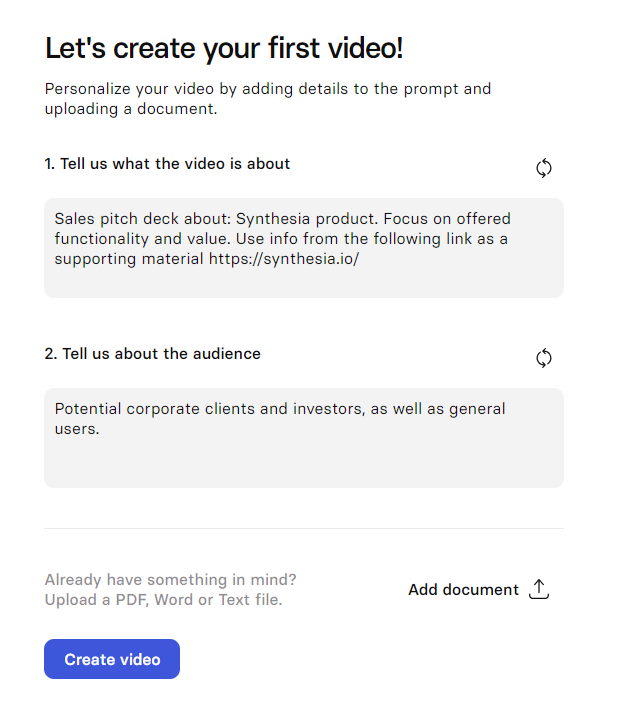
Once your script has been written, navigate to synthesia.io and log in to get started.
- Start a Project: Once logged in, you’ll land on the dashboard. Click on “New Video” to begin creating your project.
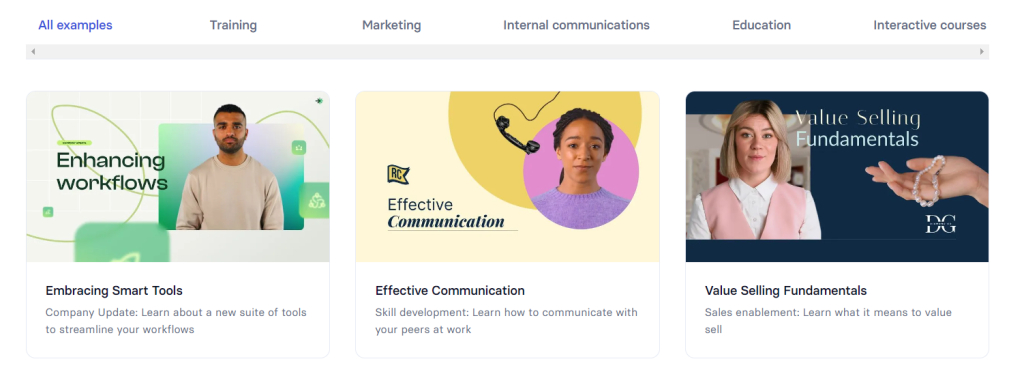
- Choose a Starting Point: You can either start with a blank project or select a video template. Alternatively, you can import content from PowerPoint to jump-start your project.
Customizing Your Video
Select an AI Avatar
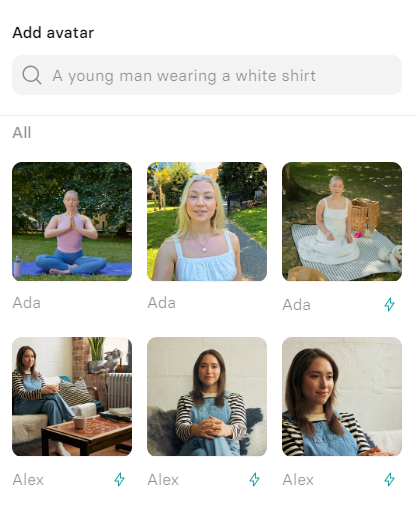
- Choose Your Avatar: Click on “Avatar at the top of the video canvas. Browse the available AI avatars and select whichever one you would like. Synthesia.io offers a variety of avatars, so you can choose from the expansive library for one that best suits your video.
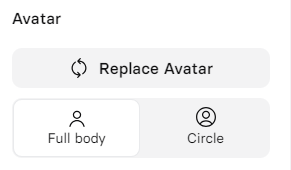
- Avatar Framing: Decide how you want the avatar framed in the video:
- Waist up
- Chest up
- Full body
- Voice only
Paste your Script and Add Voiceover
- Input Script: Paste your script into the designated area. Synthesia.io will automatically select a voice based on the avatar you selected, or you can choose a different voice from the voice library
- Voiceover Options: Synthesia.io also offers add-ons for the voiceover process. These allow you to add custom AI voices or even clone your own voice.
Edit your Video Content
- Text: Click on “Text” at the top of the video canvas to add text elements. Adjust the layout and coordinates, and set text properties such as font and size.
- Shapes: Click “Shape” to add shapes to your video. You can customize these shapes by clicking on them and adjusting properties such as color, border, and opacity in the right-hand panel.
- Media: Click “Media” to upload images, videos, or icons, You can use stock content from Synthesia.io, upload content from your own device, or access previously uploaded files.
- Screen Recording: To add screen recordings, click “Record Screen.” Choose whether to record a specific tab, window, or the entire screen.

Editing Toolbar
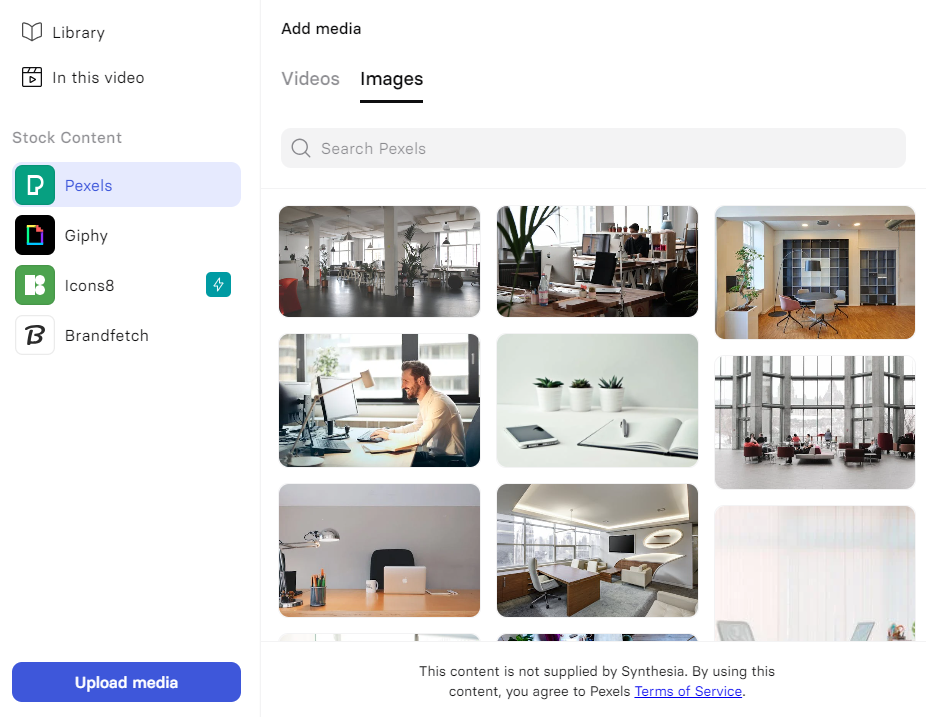
Add Media from Synthesia.io supported libraries, or upload your own
Enhance with Animations and Transitions
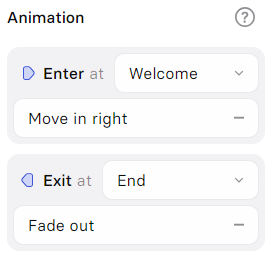
- Animations: Select the element you want to animate and click “Animation” on the right side. Choose the type of animation, then adjust duration, delay, and velocity to your desired values.
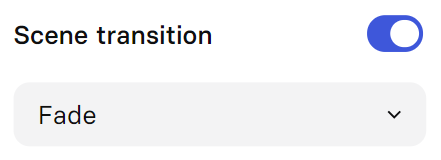
- Transition: To add seamless transitions between scenes, select a scene and toggle “Scene Transition.” Then you can select your desired transition type.
Add music
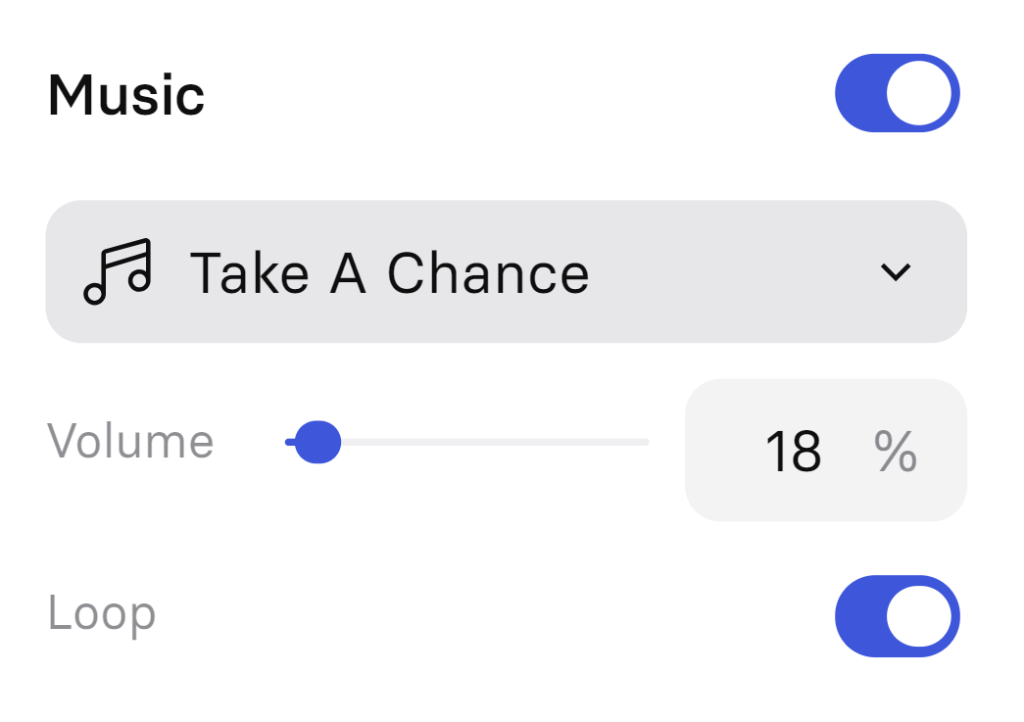
To add background music, click on a scene and enable the “Music” toggle. You can select from Synthesia.io’s library of available tracks, or upload your own.
Preview and Generate
- Preview: Click “Play” to preview your video and make sure everything looks and sounds as expected.
- Generate: Once you are satisfied with your video preview, fill in the video’s title and description. Then, choose if you want to include captions. Finally, click “Generate” to produce your video!

Collaboration and Enterprise Features
Collaborate with Teams
- Live Collaboration: Work with your team in real-time by using the platform’s live collaboration features.
- Brand Kit: Add your company’s logos and colors to maintain brand consistency throughout your videos.
- Enterprise Readiness: Synthesia.io offers enterprise solutions to ensure you have secure access to the platform and to maintain ethical use of AI.
Synthesia.io can be seamlessly integrated with other tools such as PowerPoint and LMS systems to help streamline your video creation process.
Synthesia.io empowers users to create high-quality, AI-driven videos quickly and efficiently. It offers unique tools such as AI avatars and voiceovers, to help customize the video creation process to fit your needs. By following this guide, you can leverage Synthesia.io’s robust features to produce engaging content, whether that is for your brand, personal content, or anything else. Explore the platform’s capabilities, experiment with the various unique elements, and enhance your communication strategies with cutting-edge AI technology.
Check out Synthesia using our affiliate link, and start elevating your videos today!
Recent Blog Posts
AI and Jobs: What Three Decades of Building Tech Taught Me About What’s Coming
In 2023, I started warning people. Friends. Family. Anyone who would listen. I told them AI would upend their careers within three years. Most nodded politely and moved on. Some laughed. A few got defensive. Almost nobody took it seriously. It's 2026 now. I was right. I wish I hadn't been. Who Am I to Say This? I've spent thirty years building what's next before most people knew it was coming. My earliest partner was Craig Newmark. We co-founded DigitalThreads in San Francisco in the mid-90s — Craig credits me with naming Craigslist and the initial setup. That project reshaped...
Feb 12, 2026The Species That Wasn’t Ready
Last Tuesday, Matt Shumer — an AI startup founder and investor — published a viral 4,000-word post on X comparing the current moment to February 2020. Back then, a few people were talking about a virus originating out of Wuhan, China. Most of us weren't listening. Three weeks later, the world rearranged itself. His argument: we're in the "this seems overblown" phase of something much bigger than Covid. The same morning, my wife told me she was sick of AI commercials. Too much hype. Reminded her of Crypto. Nothing good would come of it. Twenty dollars a month? For what?...
Feb 9, 2026Six ideas from the Musk-Dwarkesh podcast I can’t stop thinking about
I spent three days with this podcast. Listened on a walk, in the car, at my desk with a notepad. Three hours is a lot to ask of anyone, especially when half of it is Musk riffing on turbine blade casting and lunar mass drivers. But there are five or six ideas buried in here that I keep turning over. The conversation features Dwarkesh Patel and Stripe co-founder John Collison pressing Musk on orbital data centers, humanoid robots, China, AI alignment, and DOGE. It came days after SpaceX and xAI officially merged, a $1.25 trillion combination that sounds insane until you hear...